

Studio Network Solutions – Buying Shared Storage? There’s More to Consider Than Price Per TB
Why Cost Per TB Doesn’t Tell The Full Story For Video Production Storage

Melanie Ciotti, Director of Marketing, Studio Network Solutions (SNS)

When searching for shared storage solutions for video production, it’s common to compare systems by cost per terabyte ($/TB). It’s a straightforward metric, but in reality, it only tells a small part of the story.
For video editors, post-production teams, and content creators working with large, high-resolution files, the real value of a storage system isn’t measured in dollars per terabyte—it’s measured in how well the system supports your workflow.
Cost Per TB Is Just One Piece Of The Puzzle
Yes, capacity matters. But shared storage for video production is about far more than just how many terabytes you get for the price. Performance, media organization, automation, support, and remote access are critical to getting work done efficiently.
If you’re comparing systems solely by storage capacity, you’re missing the features that actually impact your team’s productivity and project delivery.

The Hidden Costs Of Low-Cost Storage
Lower upfront cost doesn’t mean lower overall cost. A storage system with a low cost per terabyte might look appealing at first, but that number often leaves out essential tools and services you’ll end up needing anyway.
You’ll likely need to purchase media asset management software, automation tools, cloud backup connections, and remote editing support separately. You’ll also need to integrate—and troubleshoot—each of those components. All of these factor into your total cost of ownership, which can add up quickly.
In addition to the hidden costs of additional systems and services, this kind of piecemeal setup often results in a less cohesive, more fragile solution prone to performance bottlenecks and technical issues. And when things go wrong, you’re left managing multiple vendors pointing fingers at each other instead of solving the problem.
What To Consider In Addition To Cost Per Terabyte
We’re not saying to avoid the cost-per-terabyte metric altogether. Just make sure you’re considering it in the full context of what the solution delivers. Here are some elements to keep in mind.
Real-Time Performance: Not all shared storage systems are built to support high-speed editing in DaVinci Resolve, Adobe Premiere Pro, Final Cut Pro, Avid Media Composer, and other video editing software. Real-time playback, multicam editing, and smooth performance under pressure make a bigger impact than low-cost drives.
Stream Counts: Speaking of performance, choosing solely on a system’s aggregate throughput (i.e., Gigabytes/second) can be misleading when working with high-resolution media. Instead, focus on stream counts for the specific video codecs in your workflow. Systems built for video production should be able to handle your throughput using these real-world metrics.
Media Asset Management (MAM): Integrated tools like MAM help teams search, tag, and organize media without costly third-party add-ons. This keeps projects organized and saves time—and money—across the entire post pipeline. After all, what good is shared storage if you can’t find your media when you need it?
Workflow Automation: Automation tools simplify repetitive tasks like file transfers and cloud backups, helping your team focus on creative work instead of pushing and pulling files around the network manually.
Transcoding: Proxy workflows are common in modern media production, but transcoding high-resolution source media into proxies can be time-consuming, and may require a separate transcode server to handle the burden. Built-in transcoding can save significant time and resources in your workflow.
Hidden Fees: Always read the fine print. Many companies charge extra for additional users, API calls, and access to technical support. Some even charge technical support reinstatement fees if your coverage lapses. These incremental costs rarely make their way into the initial cost per TB analysis, and when the final bill comes in, sticker shock ensues.

Storage That Solves Workflow Problems
If you’re shopping for a video editing server or shared storage system and you find yourself focused on cost per terabyte, ask a more important question:
What am I really getting for that cost?
Storage should:
- Support your entire team’s editing workflow on-premise and remotely, if applicable
- Handle high-resolution video files in real time
- Help you stay organized and on schedule
- Scale with your current and future needs
- Give you access to responsive support from people who understand media production
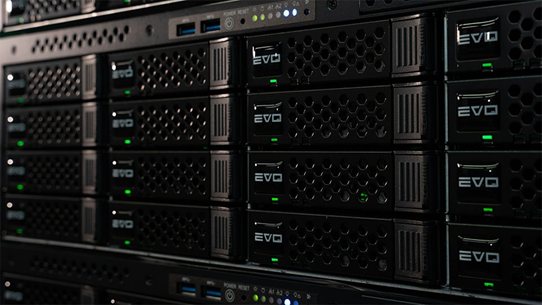
At SNS, we design systems to deliver everything in one powerful solution for an extremely competitive total cost of ownership. EVO shared storage includes built-in MAM, automation, transcoding, and remote editing features developed specifically for post-production workflows, so you’re not stitching together a workflow from third-party tools.
You get better performance, more reliability, and a single point of support from a team that understands creative media production.
Final Takeaway
Cost per TB is a helpful starting point, but it’s not how professionals choose storage for video production. If you’re looking for a high-performance, high-value solution that includes media asset management, automation, and remote editing capabilities, it’s time to think bigger than the terabyte.
Latest IAMT News
Globecast Demonstrates Content Exchange Latest Capabilities at SPORTEL Monaco 2026

Beam Dynamics Appoints Brian Mauger as Regional Sales Manager, North America

Sign-Up Here
Industry news, event updates and more. Sign-up for the IAMT Newsletter.